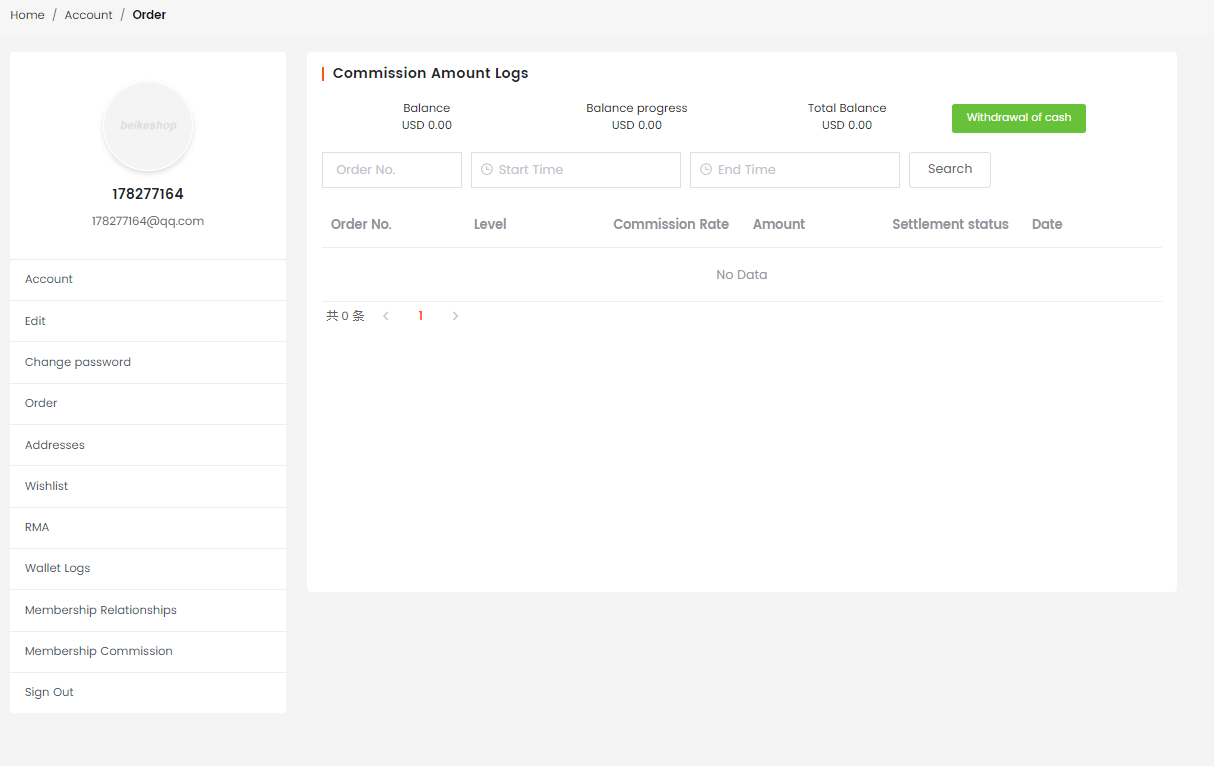
This plugin can be set up quicklyThree-level distribution rebate systemBy setting up exclusive distribution codes for partners to generate distribution links, after customers place orders through these links, the corresponding partners can obtain compliant rebate income, which helps to efficiently expand sales channels.
- Three-level distribution rebate mechanism
SupportUp to level three distribution rebatesThe model allows partners to share their exclusive distribution addresses to drive transactions. Partners at multiple levels can obtain corresponding earnings according to the rules, easily leveraging social viral spread.
- Flexible rebate ratio setting
Support the individual configuration of rebate ratios for each product, which can be set differently based on the profit margins of different products and promotion strategies to meet diverse distribution incentive needs.
- Convenient distributor settlement
Support users to register as distributors with one click, simplify the entry process, quickly expand the scale of the distribution team, and lower the promotion threshold.
- Dynamic withdrawal function configuration
Support flexible configuration of withdrawal rules, allowing parameters such as withdrawal thresholds, arrival cycles, and handling fees to be set as needed, to meet the fund management requirements of different operational scenarios.
- The wallet plugin is linked with accounting
It can be seamlessly integrated with plugins such as the points wallet. The distribution commission amount is automatically synchronized to the corresponding account and recorded. The flow of funds is clear and traceable, making account management more efficient
- Unregistered user binding
Unregistered users can enter the mall through the distribution linkThe same browser environmentOnce the order placement is completed, the order will be automatically bound to the corresponding partner, and the partner can receive the corresponding commission.
- Registered users are permanently bound
Unregistered users can enter the mall through the distribution linkThe same browser environmentOnce the account registration is completed, it will be established with the corresponding partnerPermanent binding relationshipFrom then on, for all orders of this account, the bound partners can continuously receive rebate income.
- Order cancellation will result in deduction
When a distribution order is returned or refunded, the administrator can perform a refund operation on the distribution order in the background, and the system will automatically deduct the corresponding rebate that has been issued for this order.
- Withdrawal review and deduction
When a member submits a commission withdrawal application, after the back-end completes the review and confirms the payment, the system will automatically deduct the commission amount that has been withdrawn from the member\'s account.
- Real-time deduction of commission payment
When a member selects the "commission payment" method to offset the amount during order settlement, the system willReal-time deductionCorresponding commission amount (needs to be used in conjunction with the "Commission Payment" plugin).
Operation steps
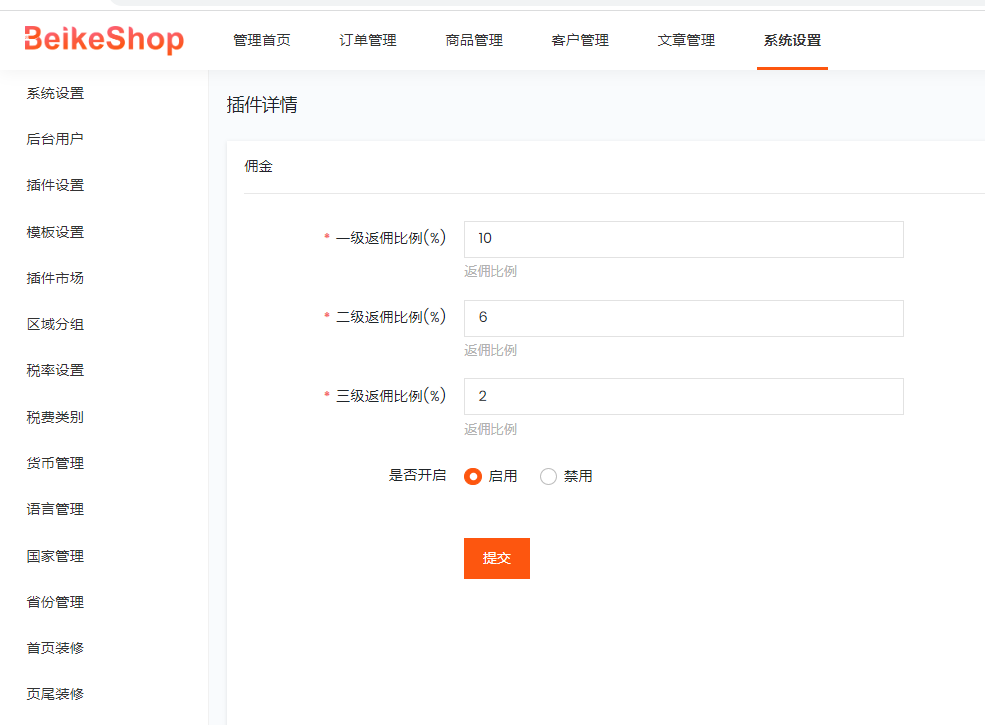
After activating the plugin, set the commission ratio
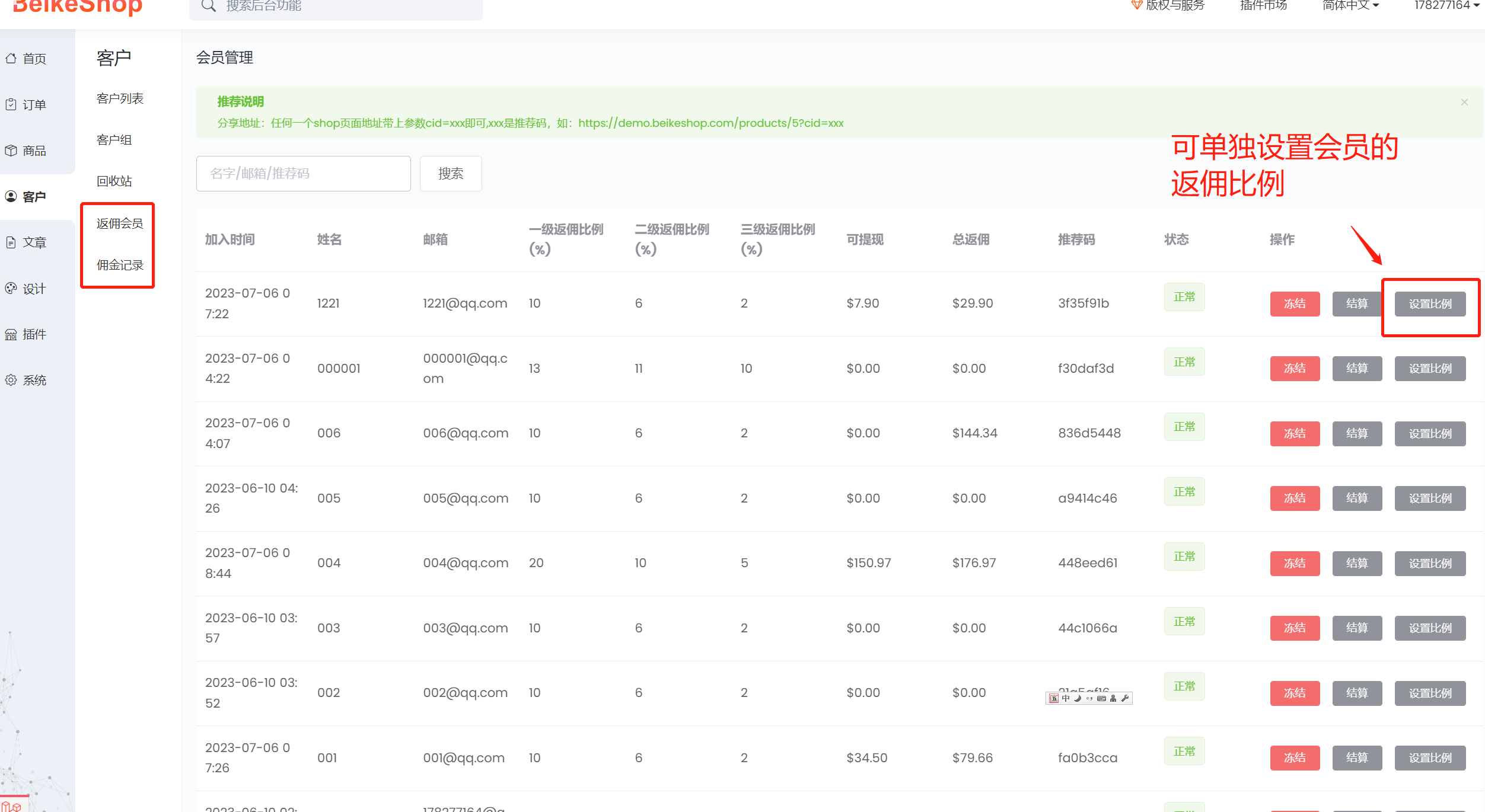
2. Set the target customers as partners in the customer list

3. Check the partner and distribution codes
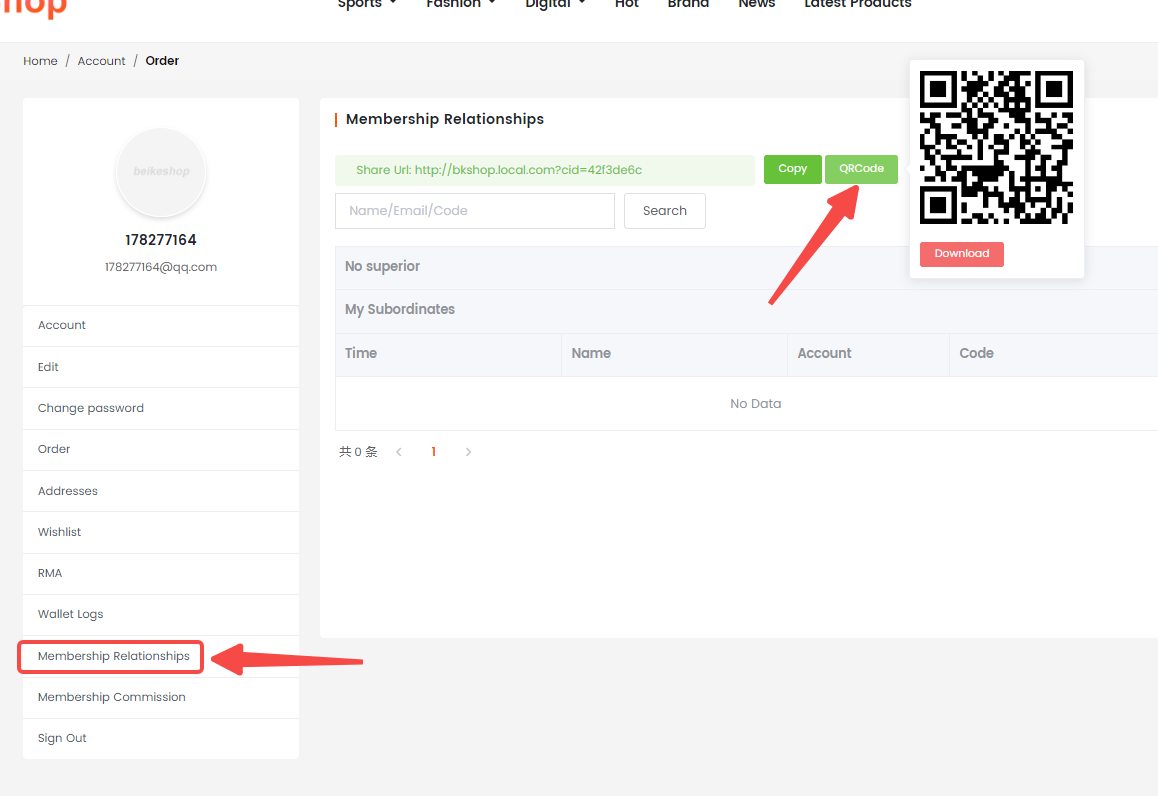
(The sharing address is in the form of the entire site address followed by the parameter cid=xxx)
4. Check the commission records of the partners

5. Front-end users view sharing links and superior-subordinate relationships in the back-end
6. Check the commission situation