- Users can manage their balance independently
Provide customers with exclusive wallet balance management functions, supporting real-time viewing of balance details and convenient control of fund movements.
- Refine the wallet opening permission
Administrators can precisely specify users to activate the wallet function in the background, allocate usage permissions as needed, and meet differentiated operational requirements.
- Registration automatically activates the convenient mode
Support configurationRegister to activate your walletFunction: After new users complete account registration, the wallet is automatically activated without manual operation, enhancing user experience.
- Dynamic recharge guidance configuration
Support custom configuration of recharge guidance rules. Recharge prompt text, guidance paths, etc. can be adjusted according to operational needs to optimize user recharge conversion.
- Wallet balance order payment
Customers can directly use the balance in their wallets to offset the order amount, achieving one-click quick payment and simplifying the settlement process.
- Seamless integration of distribution plugins
It can be deeply integrated with the distribution rebate plugin. The distribution rebate amount will be automatically credited to the user\'s wallet, making the fund flow efficient and clearly traceable.
Precautions
As the wallet function is strongly bound to the user account data, configuration needs to be completed in the system backend: Enter
System → System Settings → Checkout Settings → Visitor CheckoutDisable the visitor checkout function. Users must log in before they can use the wallet-related functions.
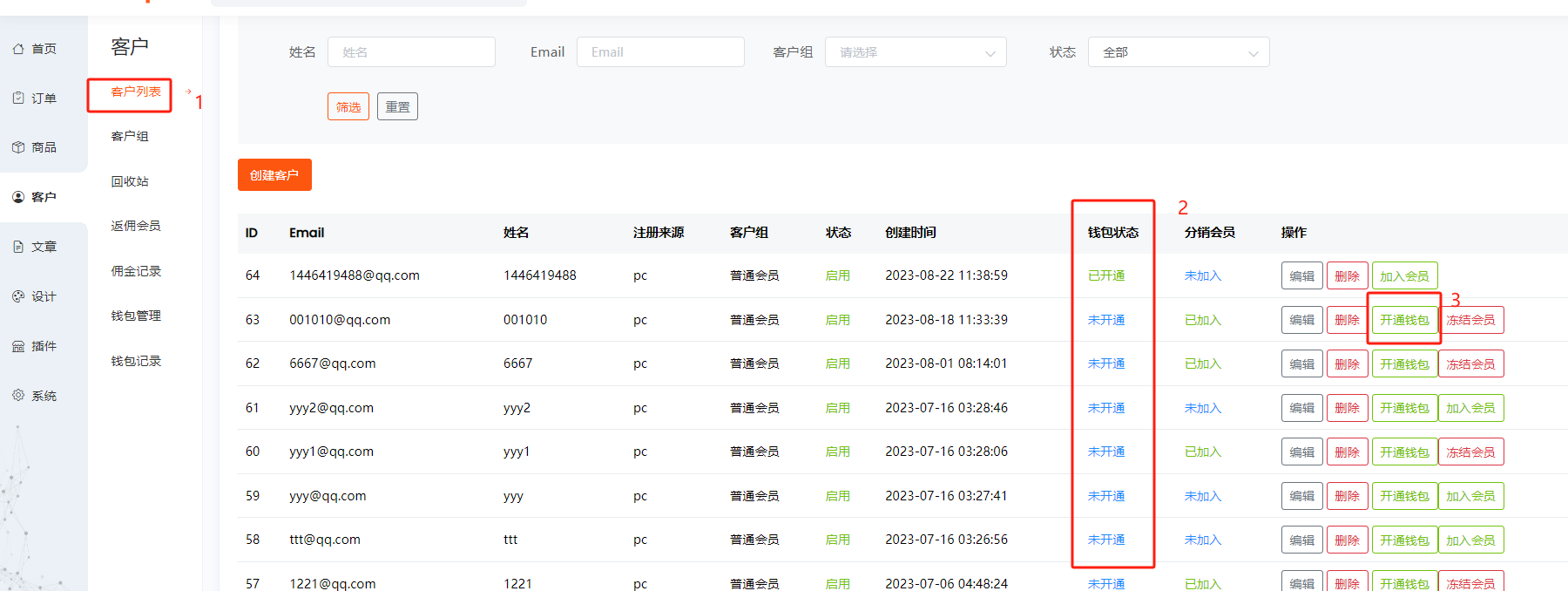
After opening it, a wallet can be opened for the customer in the background customer section as follows
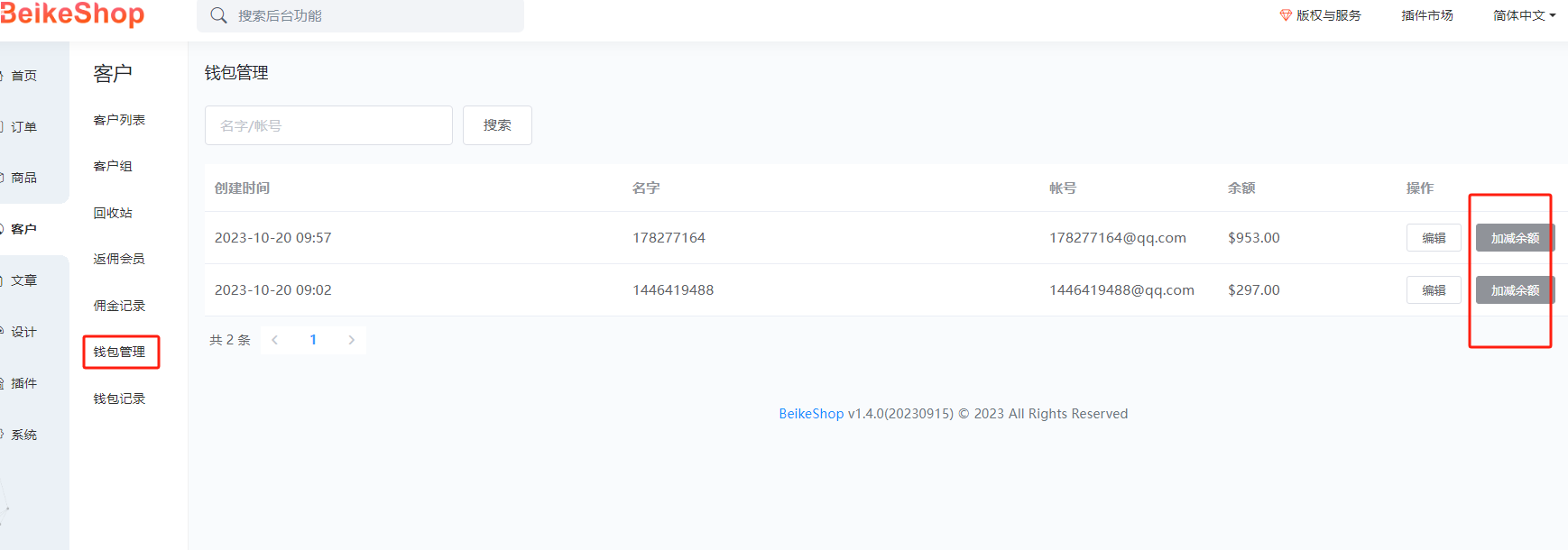
The opened wallet can be seen in "Wallet Management", where it can be recharged and the balance deducted
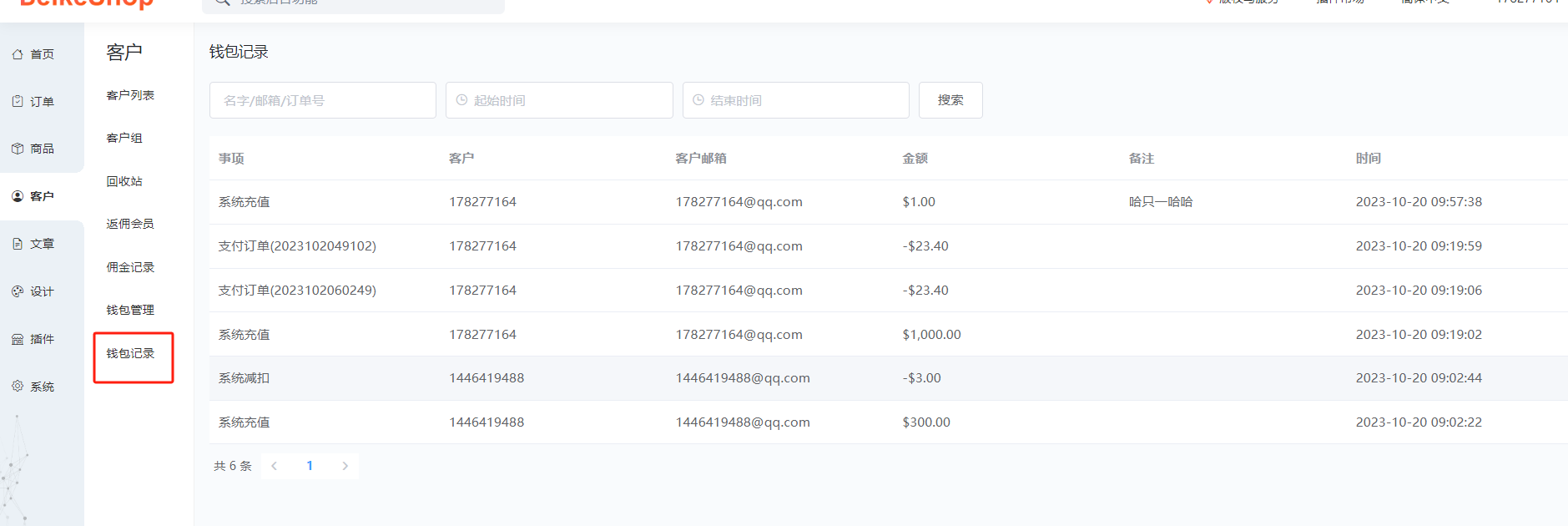
Details of the balance changes in the wallet will be recorded
The background can be configured with multiple recharge methods, and each method can be configured as a polling account

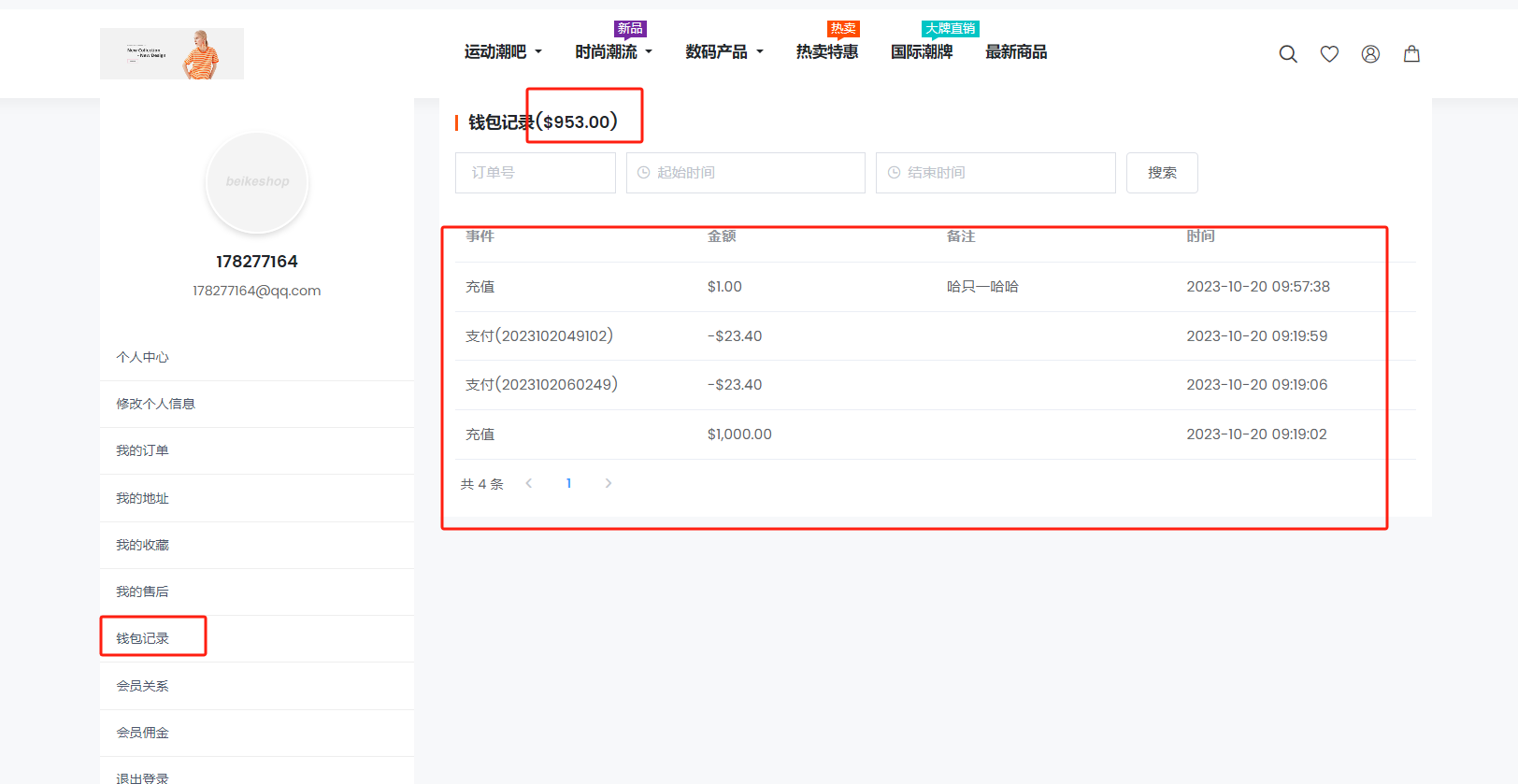
Front desk users can also view their balance and records
Users can choose the recharge method

The quick access menu has also been added to the personal center in the upper right corner. (If it is not displayed, the corresponding code needs to be added@hook(\'header.menu.icon.dropdown.menu.order.after\'))

Code addition location: (If you don\'t know how to add it, you can ask me for help.